
To confirm your pet’s reservation, please send your deposit using “CASH APP”. If you don’t have “cash app” you can download from your phone (see below).
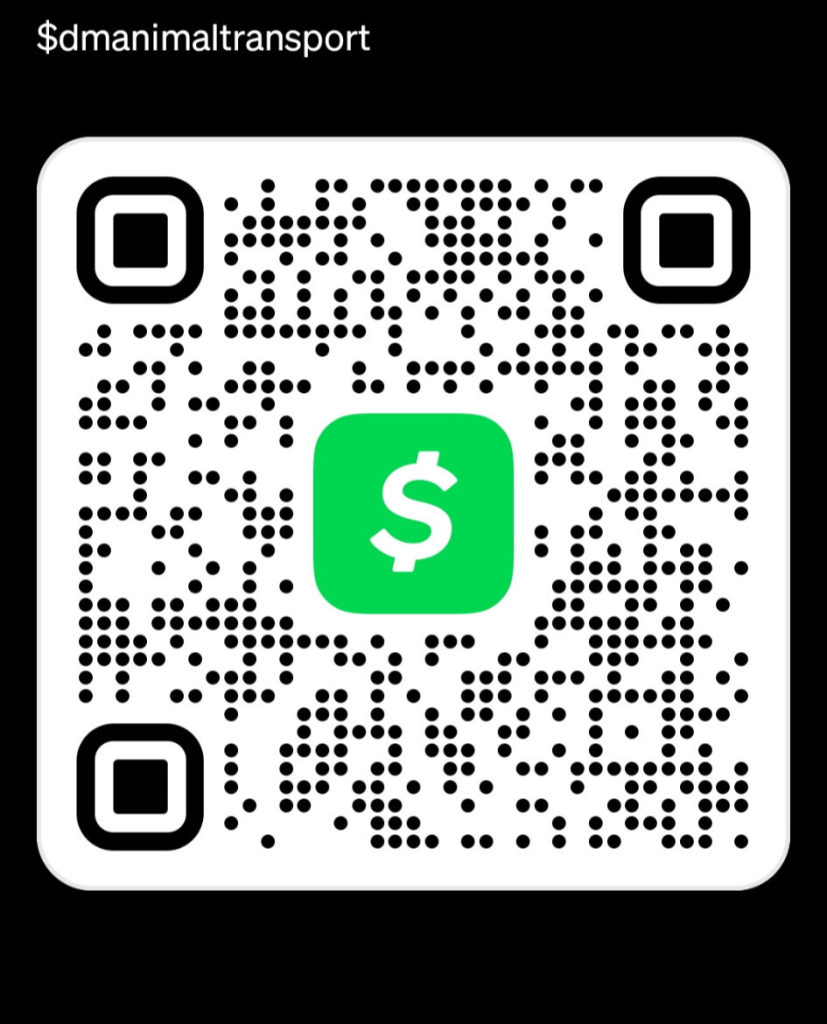
🛈 Please note: making a deposit doesn’t finalize your trip just yet. We’ll confirm your booking details and schedule before anything is official. Thank you for choosing D&M Animal Transport — we look forward to serving you!
Getting Started with Cash App
DO YOU NEED TO DOWNLOAD CASH APP AND Create an Account?
To create an account:
Download the app from the Apple App Store or Google Play Store, or go to cash.app and click Sign up
Enter the email or phone number you’d like to use for your account
Submit the confirmation code sent by text message or email
Add your Visa, MasterCard, or Discover debit card details, including the card number, CVV, expiration date, and zip code. Provide your legal name and date of birth
Choose a $cashtag — a unique username you’ll use for sending and receiving money
Enter your zip code
Create a PIN
Adding Money
Before you can make payments or purchases with Cash App, you’ll need to add money to your account.
To add money in-app Go to the Money tab Select Add Money. Choose a preset amount, or press “…” to enter a custom amount
If prompted, confirm your PIN or with biometrics.
Press Next
Tap Add. To add money on the web:
Go to cash.app/account and log in. On the left side, click Money
Select Add Money Choose a preset amount, or enter a custom amount.
Press Continue
If prompted, confirm your PIN
Sending and Receiving Money
To send or receive funds in-app:
Go to the Payments tab ($)
Enter the amount you want to send or receive. Choose Request or Pay
Enter the recipient’s email, phone number, or $cashtag Add a note explaining what the payment is for
Press Request or Pay to complete the transaction